
I was hunting for an eBay bargain and I found this nice little PC:
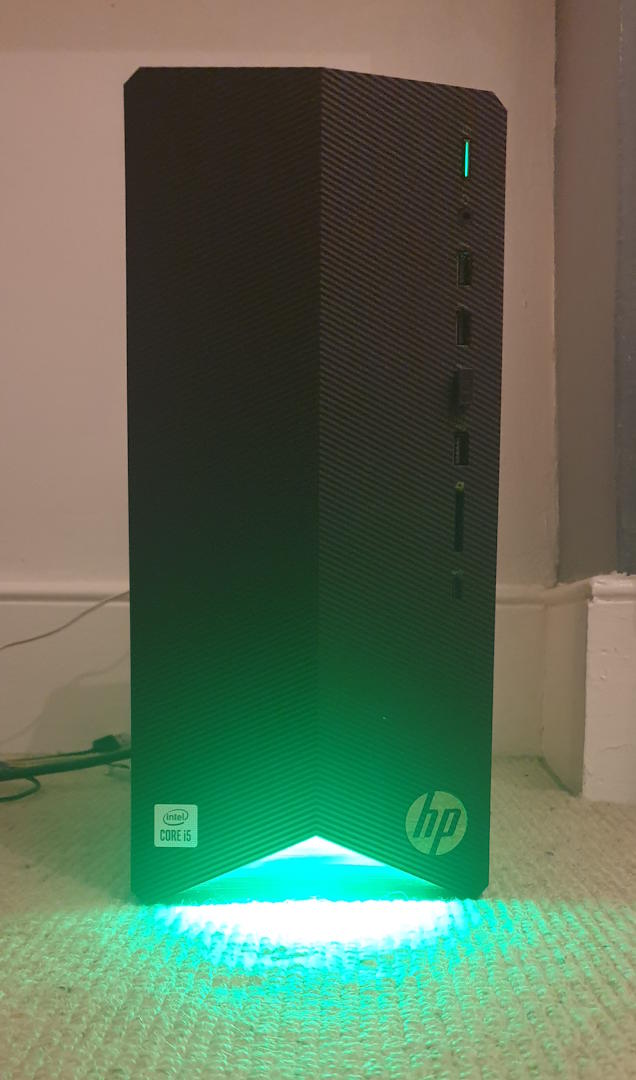
The specs are very decent for not much money (6 cores/12 Threads), and it even has a 1660 Super.
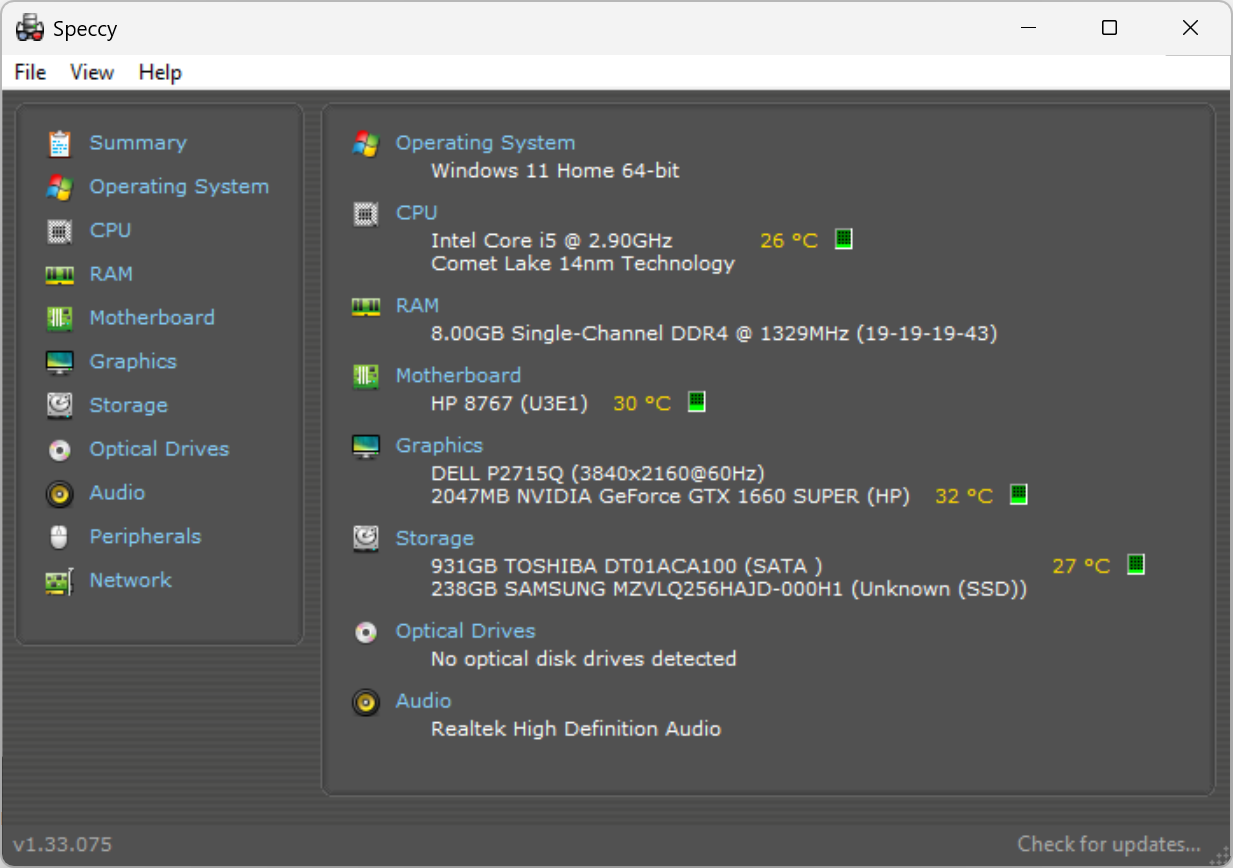
The only downside is the 8GB of RAM. I had a quick check on the motherboard and saw that it supports up to 32GB. I bought it fully expecting to max out the RAM. Unfortunately I didn’t know that RAM prices are through the roof right now with little availability.
I decided to just carry on with installing all my dev tools and see if it’s usable.
Typically, I use:
- VS Code (x2 for client and server)
- Docker for running databases and other services
- MongoDB Compass
- WSL2
- Git
- Web browser (Edge) with multiple tabs
- Slack
It doesn’t seem like much, but RAM usage can quickly balloon, especially with 2 instances of VS Code and Docker running multiple services.
This is the RAM situation after running a decent sized full stack project:
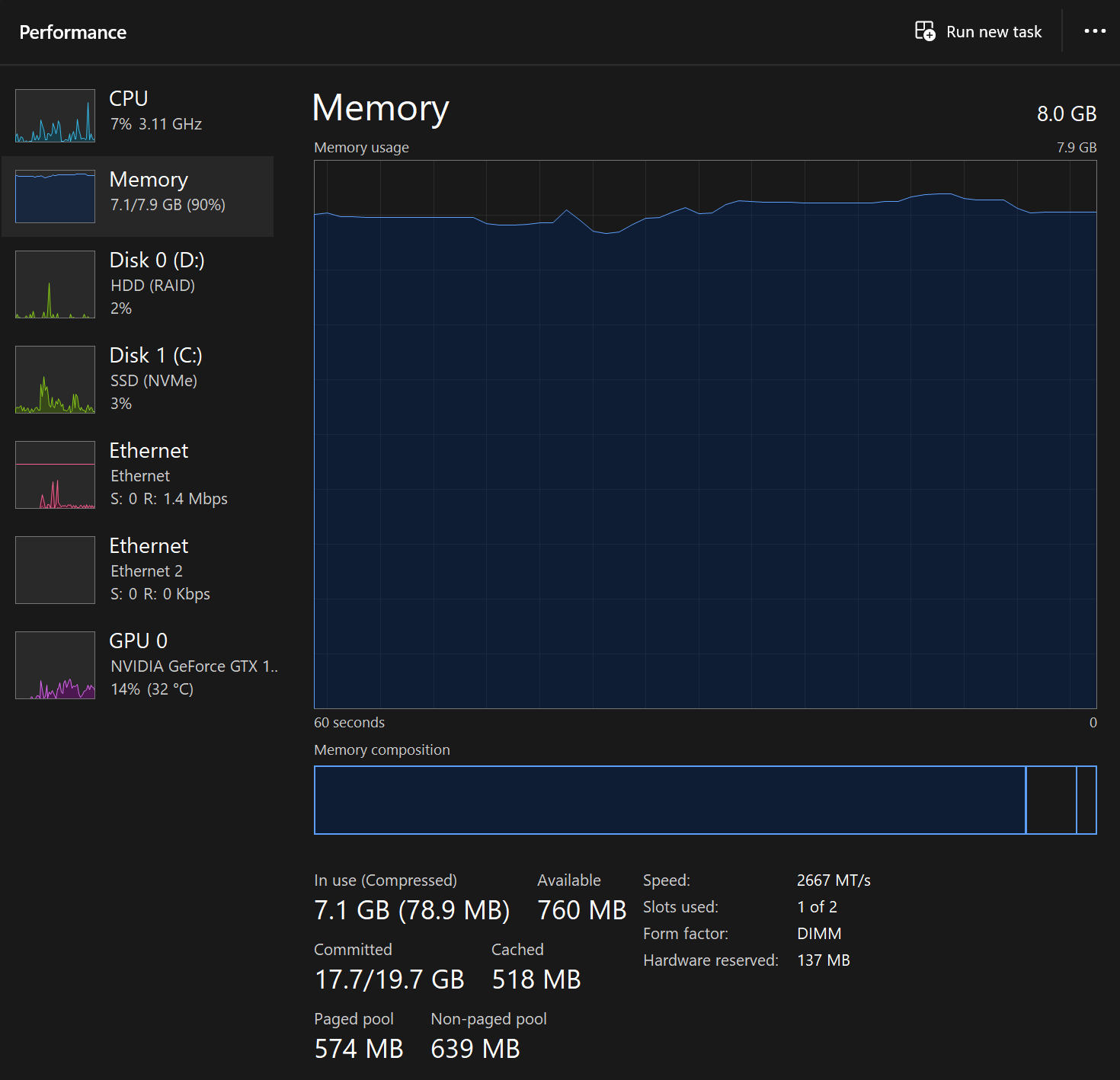
Hmm😕 I know that Windows caches aggressively so a full graph like this isn’t necessarily a bad thing. However, in this case my machine definitely feels slow. I can tell there’s a lot of page file activity going on.
Electron apps
The tools I use are all based on Electron and are notorious memory hogs. VS Code can easily consume 1GB+ with extensions. MongoDB Compass, Slack, and other Electron-based apps each claim their own hefty chunks of RAM. I like Electron, but I need to swap out some of these memory-hungry apps.
Code Editor
When I was considering lightweight code editors, I immediately thought of Sublime Text. I haven’t used it in 10 years, but I have fond memories of it. I wasn’t looking forward to configuring it though. I wanted something pre-configured like VS Code.
Then I discovered Zed, a native code editor built with Rust. Unlike VS Code, Zed typically uses 50-100MB of RAM and is incredibly responsive.
I found it instantly familiar as an editor. Even the shortcuts are the same, and Copilot works perfectly.
The only thing it’s missing is comprehensive Git tooling. VS Code has lots of Git extensions such as GitLens, Git Graph and Git History. There’s nothing like this for Zed, except for a basic but usable source control sidebar.
It’s not a huge deal for me. I’m happy using the Git terminal. If I wanted to use a GUI, I would probably use SourceTree, which is written natively in C#.
Database Management: MongoDB Compass and Robo 3T
I’ve been using MongoDB Compass for years and it’s a really nice tool. I like the direct inline editing of documents and it’s surprisingly snappy for an Electron app.
The other option is Robo 3T which is a very lightweight editor, and uses a tiny amount of RAM.
I decided to carry on using Compass. I don’t have it open all the time, and I typically only use it for querying and basic data updates. If I need to do anything more (e.g. a report), I usually write a Node script to do it.
Docker Optimization for MongoDB
I use Docker to run MongoDB (amongst other things) locally. It can be quite wasteful with memory but it’s possible to configure it using docker-compose to use less RAM.
Optimized Docker Compose Configuration
# docker-compose.yml
version: '3.8'
services:
  mongodb:
    ...
    command: >
      mongod
      --wiredTigerCacheSizeGB 0.5
      --wiredTigerCollectionBlockCompressor snappy
      --quiet
    deploy:
      resources:
        limits:
          memory: 1G
        reservations:
          memory: 512M

volumes:
  ...
In my case, I already have a MongoDB Cloud (Atlas) account. I decided instead to create a dev MongoDB there instead. My API now connects directly to the dev DB from localhost. For me, this is a better solution than running the database locally, and it’s one less thing to spin up when I start my local dev servers.
WSL2
I decided to remove WSL2. On 8GB, it feels slow to use, and I’m not in need of a full Linux environment anymore. I am using Git Bash on Windows, and it works fine. Most of the popular open source projects support Windows nowadays anyway🤷♂️
Microsoft Edge
I turned on the sleeping tabs feature in Edge. This saves a ton of memory because I usually have around 10-20 tabs open. I also turned on the Resource Controls, and set the max memory usage to 1.5GB.
The downside of turning on these performance options is that the tab will refresh when it is clicked on later on. This isn’t an issue generally, but it’s annoying when watching a YouTube video. Pausing the video, and revisiting that tab later causes the page to refresh and lose the playback location.
I found this plugin called Easy Resume that saves the playback position. It works really well and solves this issue.
Also, Chrome extensions work in Edge! There’s no reason why they wouldn’t as they both use WebKit, but I was pleasantly surprised that Microsoft allows this.
Slack
The Slack desktop app has become much more efficient, but it still uses a lot of RAM. Its minimum usage is around 500MB!
Conclusion
| Before | After |
|---|---|
| 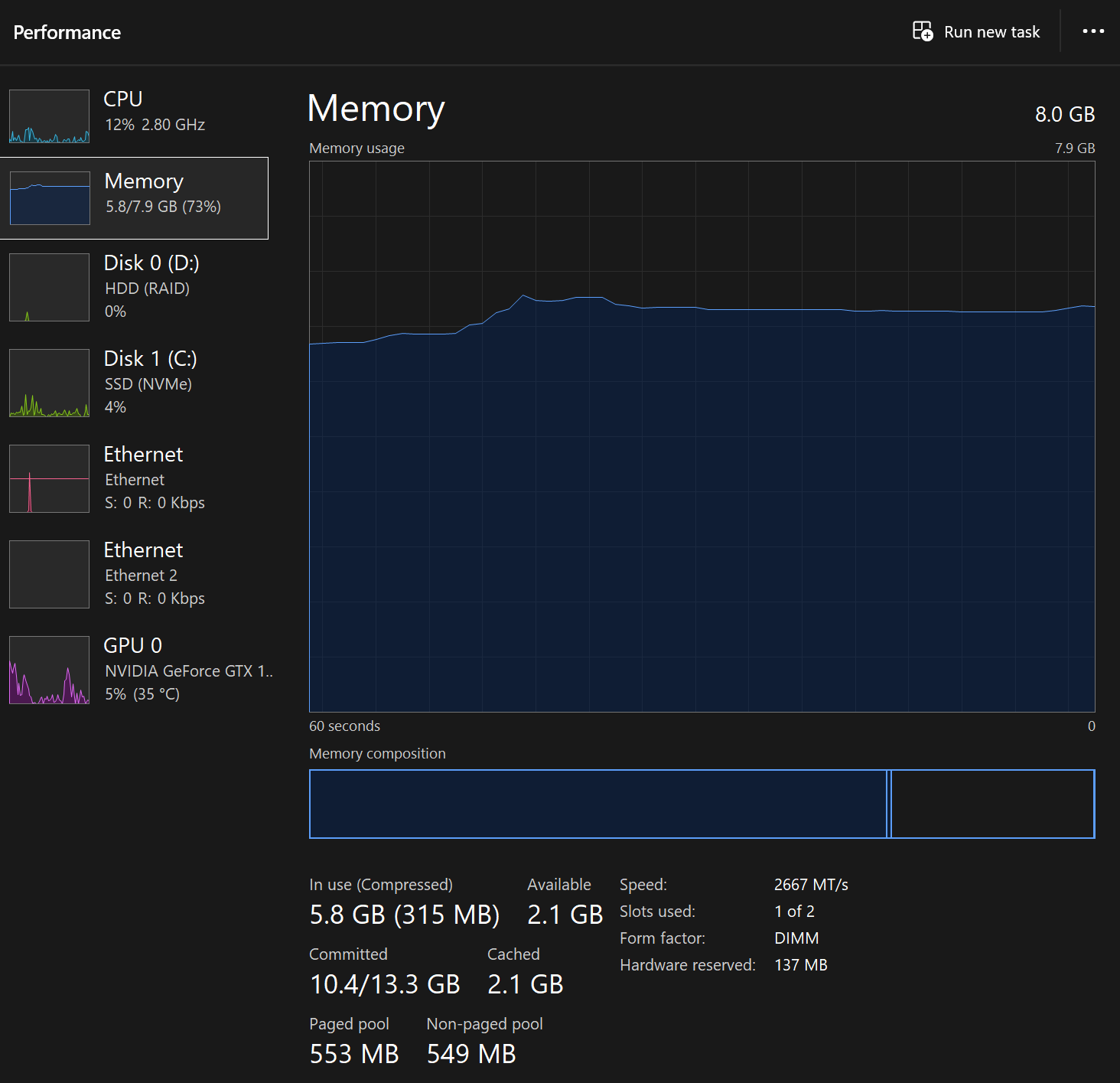 |
Yes, it’s possible to do modern development with 8GB, but it’s not ideal. I had to compromise as there is very little headroom. Personally, I don’t like to worry about RAM when I’m developing and I prefer to use the right tool for the job. I can manage on 8GB for now though.
Hopefully RAM stock and prices will recover in 2026!